Therapist websites
Best Booking Systems for Therapists (UK): 7 Compared
Seven online booking systems for UK therapists compared on price, free plans, website embedding and data storage, plus Google Calendar and Microsoft booking pages.
On this page11 sections
An online booking system, also called scheduling software or a scheduling app, lets a client pick a time on your calendar without the back-and-forth of emails. For a therapist, that usually means booking a free introductory call, and sometimes regular sessions. There are dozens of tools that do this, from free scheduling apps to full practice management software, and most of them were built for salons, sales teams or US healthcare rather than UK private practice.
This guide compares seven booking systems that UK therapists commonly use or ask about: Acuity Scheduling, Calendly, Cliniko, Fresha, Setmore, SimplyMeet and TidyCal. It covers price, free plans, whether you can embed each one on your website, and where each company says client data is stored. It also looks at the booking pages built into Google Calendar, Microsoft 365 and Proton, which may be all you need, and how to set booking up so it suits therapy: who can book what, what reminders say, and what ends up in your calendar. All details were checked on each company's own website on 18 and 19 November 2026.
Key takeaways:
- You don't need a booking system: an enquiry form and email still work. A booking tool saves the back-and-forth of agreeing times, and some take payment in the same step.
- A standalone booking tool is enough if you mainly want clients to book an introductory call. If you also want notes, invoicing and video in one place, look at practice management software instead.
- You may not need a separate booking tool. Google Calendar, Microsoft 365 and Proton all include a simple booking page, and a free Google account gets one.
- Calendly, Setmore, SimplyMeet and TidyCal had free plans when we checked, and all four say their booking page can be embedded on your own website.
- Only Cliniko said data stays in the UK for UK accounts. SimplyMeet said it stores data in Germany. Calendly and TidyCal are US-based, and the others didn't state a region on the pages we read.
- An embedded calendar can set cookies on your visitors' browsers, so it may need consent before it loads. A "Book a call" button that links out avoids that.
- Keep reminders and booking forms free of clinical detail, and make only the introductory call publicly bookable if you'd rather speak to new clients first.
Do you need a booking system at all?
No. The traditional way still works: a client fills in the contact form on your website or sends an email, you reply with a few times, and you agree one between you. You put it in your diary and send an invoice or payment details afterwards. Nothing extra to pay for, and you speak to every person before they're booked in.
The cost is your time. Each new client can take several emails or calls to settle a time, and someone who contacts you in the evening waits until you reply. A booking system takes over that back-and-forth, and some take payment in the same step.
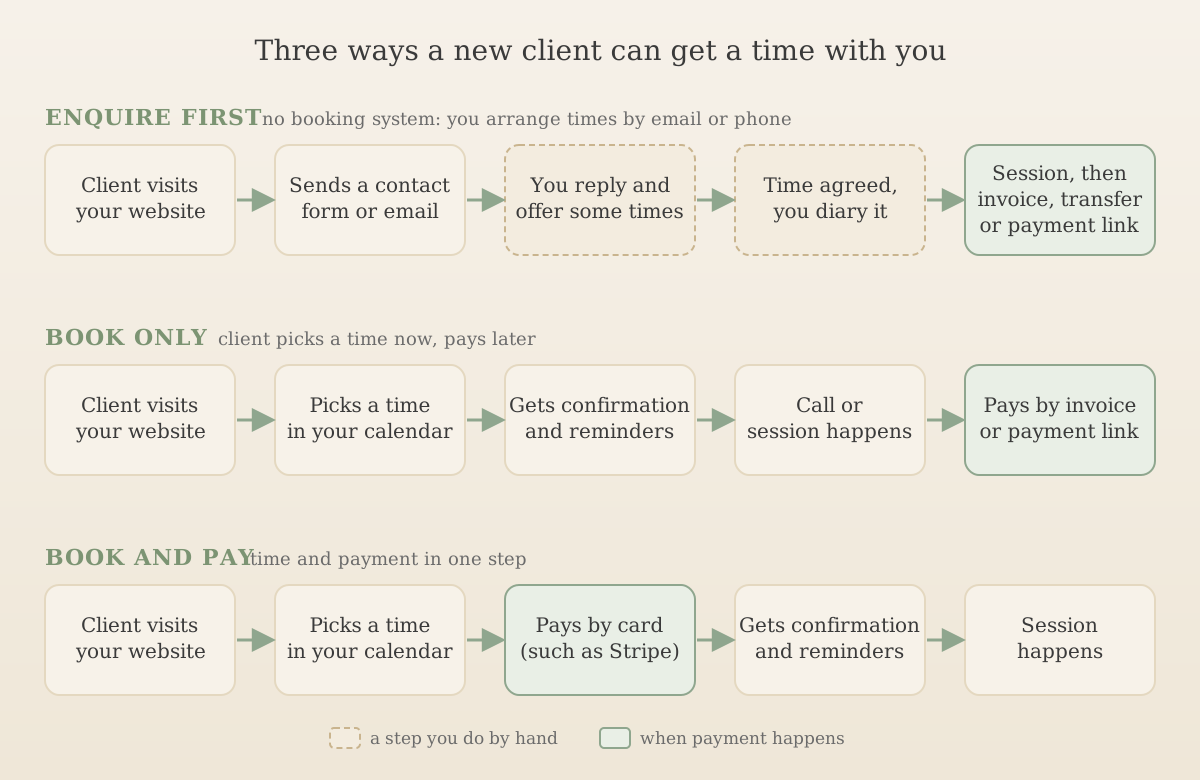
You don't have to pick one. One middle way is to keep an enquiry form for first contact, then send people a private booking link once you've spoken, or to let new clients book only a free introductory call and arrange everything else by hand. Whichever you choose, keep the enquiry form short and say beside it not to send detailed personal or clinical information.
Booking tool or practice management software?
There are two kinds of product that let clients book with you online.
Standalone booking tools such as Calendly, Setmore, SimplyMeet and TidyCal do one job: they show your availability, let someone pick a time, add it to your calendar and send confirmations and reminders. Some can take payment at the time of booking. They don't hold client notes or produce invoices.
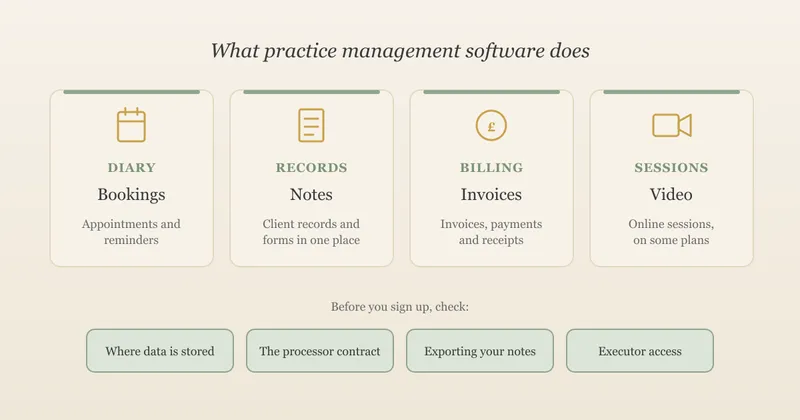
Practice management software such as Cliniko includes online booking alongside client records, session notes, invoicing and sometimes video. It costs more, but it puts your admin in one place. Our guide to practice management software for therapists compares nine of these products in detail.
A standalone booking tool usually makes sense if:
- you mainly want new clients to book a free introductory call;
- you keep notes and invoices somewhere else, such as a business storage account or a simple spreadsheet; or
- you're just starting out and want something free or cheap while your caseload grows.
Practice management software tends to make sense once you're seeing enough clients that keeping booking, notes and invoices in separate places costs you time, or when you want a clinical executor to be able to find everything in one system.
Calendars versus booking systems
A calendar and a booking system do different jobs. Your calendar holds your appointments, and only you can add to it. A booking system shows clients the times you're free and lets them pick one, then adds it to your calendar and sends confirmations and reminders.
The line has blurred, because the big calendar providers now include a simple booking page. If you already pay for Google Workspace, Microsoft 365 or Proton, or you only need clients to book an introductory call, one of these may do the job without another subscription.
| Google Calendar | Microsoft Bookings | Proton Calendar | |
|---|---|---|---|
| Who gets it | One booking page on a free personal Google account or Workspace Business Starter; more pages and extra features on eligible Workspace and Google One plans | Included with Microsoft 365 Business Basic, Standard and Premium, and Teams Essentials and Premium | Paid Proton plans: one booking page on Mail Essentials, Plus, Unlimited, Duo and Family; 25 on Workspace plans |
| On your website | Embed an inline booking page or a button with a pop-up, or share a link | Share a link; Microsoft says the link can also be embedded in your website | Share a link to your booking page |
| Reminders | Email only, up to five, and you can't edit the wording | Email and text notifications | Not stated on the pages we read |
| Taking payment | Through Stripe, on Workspace plans that include it | Not stated on the page we read | Not stated on the pages we read |
| Worth knowing | The booking page is always public. Booking pages can only be set up on a computer, not in the phone app | Customer and appointment details are stored in your Microsoft 365 account | Proton says booking details are protected with zero-access encryption |
These suit a therapist who wants something simple: a public introductory call, your availability kept in one calendar, and nothing extra to pay for. They're less flexible than a dedicated tool. Google's reminder emails can't be reworded, so they may say more than you'd like, and none of the three is built around paid sessions, deposits or cancellation fees in the way some booking tools are.
If you use Google Workspace or Microsoft 365 for email and storage, our guide to practice management software compares the three suites on price and where data is stored.
Seven booking systems for therapists compared
These are the tools in this guide, listed alphabetically. We're not ranking these or recommending one over another. We have no commercial link with any of the companies and haven't run a caseload through each tool. Prices change, most are shown in US dollars, and several exclude VAT, so check the current page before you sign up.
Price and free plans
| Tool | Free plan or trial | Cheapest paid plan for one person | Worth knowing |
|---|---|---|---|
| Acuity Scheduling | 7-day trial, no free plan | Starter, $16 a month billed annually or $20 monthly | Priced in US dollars. Prices exclude taxes. Owned by Squarespace |
| Calendly | Free plan: one event type, one calendar connection | Standard, $10 a month billed annually | Priced in US dollars. Reminders and taking payment need a paid plan |
| Cliniko | 30-day trial | $45 a month | Full practice management software, not just booking. Priced in US dollars. Texts 10 cents each |
| Fresha | 7-day trial | Independent, £14.95 a month | Built mainly for salons, spas and wellness businesses. A 20% one-off commission (minimum £4) applies to new clients who find you through Fresha's marketplace. Rates exclude VAT |
| Setmore | Free plan for up to four users | Pro, from $5 a user a month billed annually | Priced in US dollars. Text reminders, two-way calendar sync and deposits are on Pro only |
| SimplyMeet | Free plan: one user, three meeting types, 50 meetings a month | Standard, from $5.99 a user a month | Priced in US dollars. Text reminders need your own Twilio or Nexmo account |
| TidyCal | Free plan: one calendar connection, 1% fee on Stripe payments | Individual lifetime plan, $29 one-off | Priced in US dollars. Text reminders only work for US and Canadian numbers |
Website embedding, data and features
| Tool | Embed on your website? | Where data is stored (company's own statement) | Data processing agreement | Reminders and payments |
|---|---|---|---|---|
| Acuity Scheduling | Yes, on any website | Not stated on Acuity's own pages. Acuity is a Squarespace company, and Squarespace's privacy policy covers it | Squarespace has a data processing addendum, but it doesn't name Acuity, so ask | Email reminders on all plans, text reminders from Standard. Stripe, Square and PayPal |
| Calendly | Yes, inline or pop-up, on all plans | United States and other countries | Yes, part of its customer terms, with the UK Addendum | Reminders and Stripe or PayPal payments on Standard |
| Cliniko | Yes, using embed code | UK, for accounts created in the UK | Yes, a UK DPA in its terms | Email and paid text reminders. Invoicing built in |
| Fresha | Booking links and buttons; we didn't find an embedded calendar described on its own pages | No single region stated in its privacy policy | Yes | Free email reminders, 20 free texts a month then 6p each. Deposits and cancellation fees |
| Setmore | Yes, on a page or as a "Book now" pop-up, on Free and Pro | Not stated; its privacy policy names Google App Engine for hosting | Not mentioned in its privacy policy | Email reminders on Free, text reminders on Pro. Square, Stripe and PayPal |
| SimplyMeet | Yes, using embed code; check which plan includes it | Germany (EU), on Google Cloud | Yes, on request | Email reminders. Payments through PayPal, Stripe, Square and others |
| TidyCal | Yes, inline, on all plans | Not stated; the company says it's based in the US | Yes | Email reminders on all plans. Stripe and PayPal on all plans |
A few things stood out when we checked:
- Fresha works differently from the others. Its own pages say a business is automatically eligible to appear on its marketplace once the profile is complete and online booking is turned on, You can unlist your profile, but Fresha says that also turns off online bookings and stops your booking links and "Book now" buttons working. Being listed alongside salons and spas, and paying commission on new clients found there, may not suit a therapy practice.
- TidyCal's AI features send booking content to OpenAI when you use them, according to its privacy policy. If you use TidyCal, leave those features off for client bookings.
- Setmore and Acuity both sell health versions aimed at US HIPAA rules. HIPAA is a US law and doesn't apply to UK practices, so a HIPAA badge doesn't tell you what you need to know under UK GDPR. Check where data is stored and what the processing agreement says instead.
Connecting video calls and payments
Most booking tools connect to the other systems you use, so each booking can create its own video link, take payment and land in the right calendar without you doing it by hand.
| Tool | Video links | Taking payment |
|---|---|---|
| Acuity Scheduling | Google Meet, Zoom and GoToMeeting, on all plans | Stripe, Square and PayPal, on all plans |
| Calendly | Zoom, Google Meet, Microsoft Teams, GoTo Meeting and Webex, on all plans | Stripe and PayPal, on Standard |
| Cliniko | Built-in video, once a card is on the account | Invoicing built in |
| Fresha | Not stated on the pages we read | Fresha's own card payments, 1.40% + 25p online |
| Setmore | Zoom and Google Meet; video appointments on Pro | Square, Stripe and PayPal, on Free and Pro; deposits on Pro |
| SimplyMeet | Zoom, Microsoft Teams, Whereby and Google Meet | PayPal, Stripe, Square and others |
| TidyCal | Zoom, Google Meet and Microsoft Teams, on paid plans | Stripe and PayPal, on all plans (1% extra fee on the free plan) |
Video. An automatic link for each booking saves sending links by hand and means the right link goes to the right client. Choose the video platform first, then check your booking tool connects to it. Our online counselling guide covers choosing a platform for therapy.
Payments. Booking and paying can happen separately or together, as the three flows above show. Taking payment at booking can cut no-shows, but it suits regular sessions better than a first conversation. The payment provider charges for each payment on top of any subscription: Stripe's UK pricing is 1.5% + 20p for standard UK cards, and more for premium and international cards. If your booking tool doesn't take payment, or you'd rather charge after a session, both UpTopWeb plans include Stripe payment links, so clients can pay for sessions from your website.
Other apps. Some tools, including Calendly and Setmore, also connect to Zapier to pass bookings on to other apps. Each service you connect receives some of your clients' details, so connect only what you need and list them in your privacy notice.
Embedding a booking calendar on your website
Most of the tools in this guide give you three ways to put booking on your site, and the choice affects how it looks, how it works on a phone and whether you need cookie consent.
| Option | What the visitor sees | Which tools offer it |
|---|---|---|
| Link or button | A "Book a call" button that opens the booking page on the provider's own website | Every tool and calendar in this guide |
| Pop-up | A button that opens the booking page in a window over your page | Calendly, Google Calendar and Setmore |
| Inline | The booking calendar sits inside one of your pages, such as Contact | Acuity, Calendly, Cliniko, Google Calendar, Setmore, SimplyMeet and TidyCal |
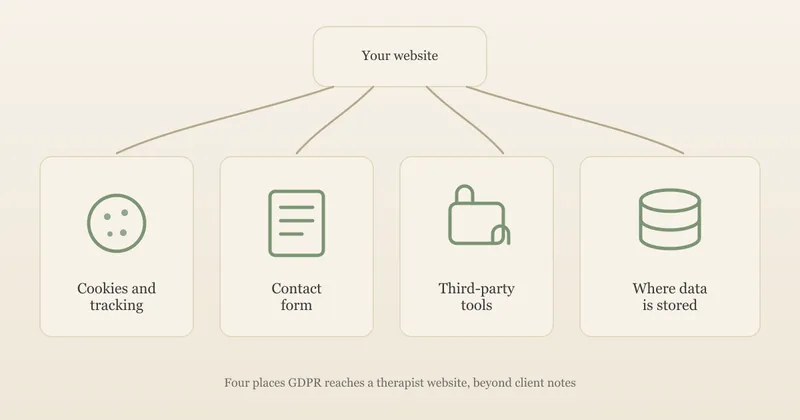
Inline and pop-up embeds load the booking company's code on your page. That code may store or read information on your visitor's device, and under the ICO's guidance on storage and access technologies, anything not strictly necessary for what the visitor asked for needs their consent first. The usual answer is to hold the embed back until the visitor accepts, and show a plain "Book a call" link in its place for anyone who declines. A link-only button loads nothing from the booking company until it's clicked, so it's the simplest option if you'd rather not use a cookie banner at all. Our GDPR-compliant website checklist covers consent for embeds in more detail.
Check it on a phone. Plenty of visitors will arrive on a phone, and an inline calendar squeezed into a narrow screen can be fiddly. Try booking yourself on a phone before you go live, and set a sensible height so the calendar doesn't push your fees and contact details out of view.
Put the practical details first. Show your fee, session length and cancellation terms above the booking button or calendar, not only in the confirmation email, so a client knows what they're agreeing to before they pick a time. Our guide to what a therapist website should include covers what else belongs on a contact page.
Both UpTopWeb plans include connecting the booking system you already use. We add it as a clear "Book a call" button or as an embedded calendar on your site, and an embedded calendar only loads once a visitor agrees to cookies, where that's needed. You keep your own account with the booking company, so your bookings and client details stay with you if you ever change website.
Setting up booking so it suits therapy
Most booking tools were designed for haircuts, sales calls and consultations. A few settings make them work better for a therapy practice.
Make the introductory call the only public booking
Many therapists don't want a stranger booking a full session straight from the website. A common set-up is:
- New clients book a free introductory call of 15 or 20 minutes through the public booking page.
- Existing clients book regular sessions through a separate, unlisted link you send them, or you arrange sessions directly.
Every tool in this guide lets you create more than one appointment type, though free plans limit how many. Calendly's free plan, for example, allows only one event type, which is enough for an introductory call on its own.
Keep the booking form short
Ask for what you need to call or email someone back: a name, an email address or phone number, and their preferred way of being contacted. Don't ask why they're seeking therapy, and say on the form not to include detailed personal or clinical information. Everything entered goes to the booking company as well as to you, so less is better. Name your booking tool in your privacy notice; our guide to GDPR for therapists explains what that notice needs to cover.
Write reminders that don't give too much away
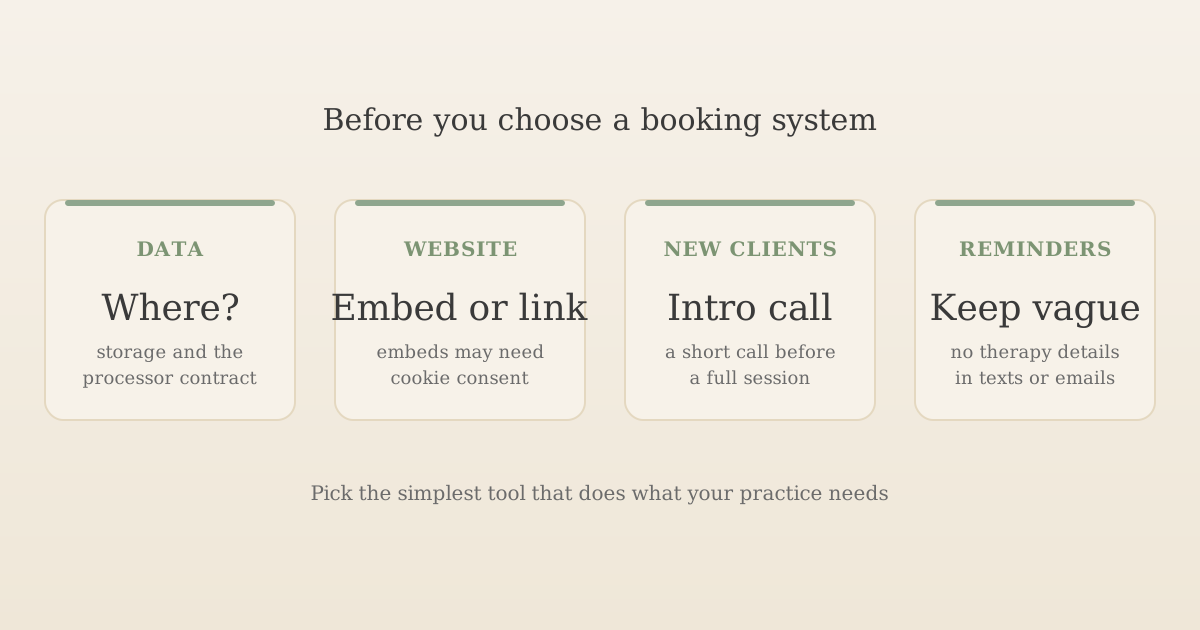
Booking confirmations and reminders can be read by anyone who sees the client's phone or inbox. Use neutral wording such as "Your appointment with [your name] on Tuesday at 6pm" rather than "Your counselling session". Most dedicated booking tools let you edit the message templates, and it's worth doing before the first real booking. Google Calendar's reminder emails can't be edited, so check what they say before you rely on them.
Check what lands in your own calendar
Booking tools add each appointment to your Google, Outlook or Apple calendar, usually with the client's name. If your calendar is shared with a partner or family, or shows event details on your phone's lock screen, clients' names may be visible to people who shouldn't see them. Use a separate calendar for client bookings, keep it private, and turn off lock-screen previews if needed.
Decide on payment and cancellation rules
Several tools can take payment or a deposit at booking. That suits some practices, but taking full payment before an introductory conversation can put people off. If you take payment online, make sure your cancellation and refund terms are on the booking page and match your therapy contract.
A worked example: what booking costs per session
This is an illustrative example, not a real practice.
Sam is a counsellor in private practice who sees 18 clients a week for about 46 weeks a year, which is 828 sessions. Sam charges £60 a session, wants new clients to book an introductory call with automatic email reminders, and pays annually for a booking plan.
- If the plan works out at about £8 a month, the year costs about £96 before any VAT.
- Spread over 828 sessions, that's about 12p a session.
- If Sam's diary is full and only introductory calls go through the tool, a free plan may be enough, and the cost is nothing.
- If Sam also took each £60 payment through Stripe at the standard UK card rate of 1.5% + 20p, the fee would be £1.10 a session, about nine times the subscription.
The subscription is rarely the expensive part. Payment fees, text message charges and marketplace commissions add up faster, so check those as well as the headline price.
Six of the seven tools in this guide show prices in US dollars; only Fresha showed pounds. What you pay in pounds will move with the exchange rate, and your bank may charge a fee for paying in a foreign currency.
Questions to ask before you choose
- Where is client data stored, and is there a data processing agreement? You're the controller and the booking company is your processor, so you need a contract with it.
- Can you embed it on your website, and on which plan? Or will a "Book a call" button be enough?
- Can you have a public introductory call and private session links? Check how many appointment types the plan allows.
- Does it connect to the video platform and payment provider you already use? And on which plan?
- Can you edit the wording of confirmations and reminders? And do text reminders work with UK numbers?
- Which calendars does it sync with? Check whether syncing both ways (so personal events block out booking times) needs a paid plan.
- What does it cost in total? Include VAT, text messages, payment fees and any commission.
- Can you export your bookings and client details if you leave?
Frequently asked questions
What is the best booking system for a therapist?
There isn't one best system for every practice. If you only need clients to book an introductory call or a session, a standalone scheduling tool such as Calendly, Setmore, SimplyMeet or TidyCal is usually enough, and several have free plans that can be embedded on your website. If you also want client notes, invoicing and video in one place, practice management software such as Cliniko does booking as part of a bigger package. Check where each tool stores client data and whether it offers a data processing agreement before you choose.
Is there a free booking system for therapists?
Yes. When we checked on 18 November 2026, Calendly, Setmore, SimplyMeet and TidyCal all had free plans. The limits differ: Calendly's free plan allows one event type and one calendar connection, SimplyMeet's allows 50 meetings a month, Setmore's free plan has email reminders but not text reminders, and TidyCal takes a 1% fee on Stripe payments on its free plan. Acuity, Cliniko and Fresha offered trials rather than free plans.
Is scheduling software the same as a booking system?
Yes, for most therapists the terms mean the same thing: a tool that shows clients when you're free, lets them choose a time and sends confirmations and reminders. Some products use the word scheduling and others booking, but they do the same core job. Practice management software also includes scheduling, alongside client notes and invoicing.
Can I use Google Calendar as a booking system?
Yes, for simple booking. Google Calendar's appointment schedules let you publish a booking page that clients use to pick a time, and a free personal Google account can create one booking page. You can share it as a link or embed it on your website. Reminders are email only and their wording can't be edited, and features such as several booking pages and taking payment need an eligible Google Workspace or Google One plan. Microsoft Bookings, included with Microsoft 365 business plans, and Proton Calendar's booking pages on paid Proton plans do a similar job.
Can I put a booking calendar on my therapy website?
Most booking tools let you embed a calendar on your own website, or add a button that opens the booking page. An embedded calendar is loaded from the booking company, so it may set cookies or similar technologies on your visitors' browsers. If those aren't strictly necessary, you need visitors' consent before the calendar loads. A simple button that links to the booking page avoids that, because nothing from the booking company loads on your site until someone clicks.
Is Calendly GDPR compliant for therapists?
No tool is GDPR compliant on its own; compliance depends on how you use it. Calendly offers a data processing addendum that forms part of its customer terms, and says data is processed in the United States and other countries, relying on the EU-US Data Privacy Framework with standard contractual clauses and the UK Addendum as a fallback. You still need to tell clients in your privacy notice that you use it, collect only what you need on the booking form, and keep clinical details out of it.
Should new therapy clients book a full session online?
Many therapists prefer not to let new clients book a full session straight away. A common approach is to make only a short, free introductory call publicly bookable, so you can check you're a good fit and cover anything safeguarding-related first, then offer regular sessions to existing clients by booking link or by arrangement.
The short version
For most therapists starting out, a free or low-cost booking tool with a public introductory call is enough. Check where each tool stores data and whether it offers a data processing agreement, keep the booking form and reminders free of clinical detail, and decide whether a button or an embedded calendar suits your website better. If you'd rather have notes, invoicing and booking in one place, compare practice management software instead.
Want your booking system added to your website?
Every UpTopWeb plan connects the booking system you already use, as a clear button or an embedded calendar that waits for cookie consent.
Further reading
Related articles
Starting a practice27 minute read
Practice Management Software for Therapists (UK): 9 Compared
Therapist websites11 minute read
GDPR Compliant Website for Therapists: A UK Checklist
Therapist websites9 minute read
What Should a Therapist Website Include?