Marketing
Google Ads for Therapists (UK): A Step-by-Step Set-Up Guide
A step-by-step UK guide to Google Ads for therapists: the settings to change, keywords and negatives to use, ad wording that fits the rules, and consent-safe tracking.
On this page10 sections
Google Ads for therapists can work well in the UK, but only if a handful of settings are changed from Google's defaults. Left as they are, a new account will happily spend a counsellor's budget on people searching for counselling courses, NHS services, jobs and free helplines, in places you don't work, on websites that aren't Google. None of that is a scam; it's just how the defaults are set for businesses in general.
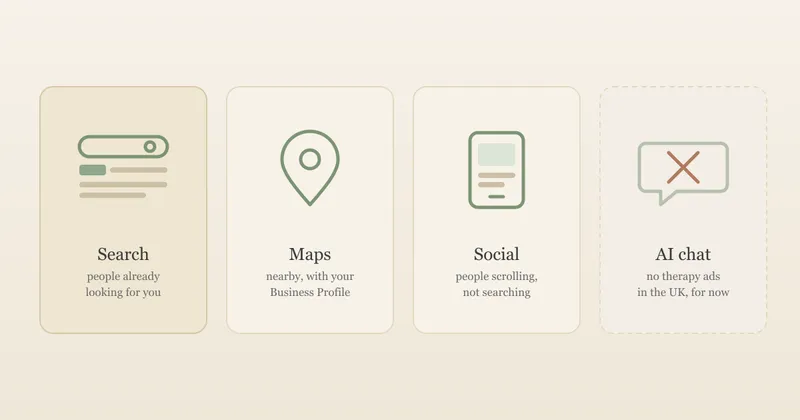
This guide walks through building one Google search campaign for a UK private practice, in the order you'll meet the settings: the account, the campaign settings, keywords, negative keywords, the ad itself, tracking and the first eight weeks. It's for counsellors and psychotherapists who have already decided to try search ads. If you're still deciding whether to advertise at all, or which platform, start with our guide to paid advertising for therapists, which compares every channel, explains where Google ads can appear and covers what a click is likely to cost.
Important: This is a practical overview, not legal, regulatory or professional advice. Google changes its ad settings and policies often, and the screens you see may not match the descriptions here exactly. Check the Google help pages linked below, your professional body's advertising guidance and the ICO's guidance before running ads or adding tracking to your website. Google's help pages were checked on 21 October 2026. UpTopWeb has no commercial connection with Google.
Google Ads for therapists: the set-up in one table
The example running through this guide is an invented practice: a solo counsellor in Leeds who sees adults in person and online, offers couples and bereavement counselling, and charges £60 a session. Every figure and keyword is illustrative. Swap in your own area, services and fees.
| Setting | Google's default | What we'd choose for a small therapy practice | Why |
|---|---|---|---|
| Account mode | A guided set-up that can lead to a Smart campaign | Expert Mode, Search campaign | You choose the searches and see what you're paying for |
| Networks | Search partners and Display Network both ticked | Google Search only, to begin with | Keeps a small budget on Google's own results |
| Location option | "Presence or interest", ticked and marked recommended | "Presence": people in or regularly in your area | Google itself suggests Presence for sensitive categories |
| Keyword match type | Broad match | Phrase and exact match | Broad match reaches training, jobs and free services |
| Negative keywords | None | A starter list from day one | Blocks searches unlikely to become clients |
| Remarketing and audiences | Available to most advertisers | Not available for mental health counselling | Google restricts them for sensitive health categories |
| Tracking | Conversion tag, often with enhanced conversions | A plain tag on a thank-you page, after consent | Enhanced conversions aren't allowed for health; UK law needs consent |
| Auto-apply recommendations | Can be switched on | Off | Changes should be your decision |
The rest of this guide takes each row in turn.
Step 1: Open the account in Expert Mode
When you first sign up at ads.google.com, Google may steer you towards a simplified set-up. Google's page on Smart campaigns says "You can only create Smart campaigns in Smart Mode", and describes them as a simpler way to advertise across Search, Maps, YouTube and partner sites. That simplicity comes from Google making the choices for you, including where the ad shows. For a therapist, the whole point is to choose exactly which searches you pay for, so look for the option to switch to Expert Mode (in the settings menu) before creating a campaign.
Two other things to expect at this stage:
- Advertiser verification. Google's advertiser verification page says "all advertisers will eventually be required to complete advertiser verification". You may be asked questions about your practice and to upload a document, and Google says "some of your ads may be restricted" until you finish. Status updates can take up to five working days, so don't plan a launch for the day after you open the account.
- A conversion goal. Google's guide to creating a Search campaign offers "Create a campaign without a goal's guidance", which is the cleanest choice, but notes that "At least one conversion goal is required to create a search campaign" even then. Step 6 below covers setting one up in a way that respects your visitors' privacy.
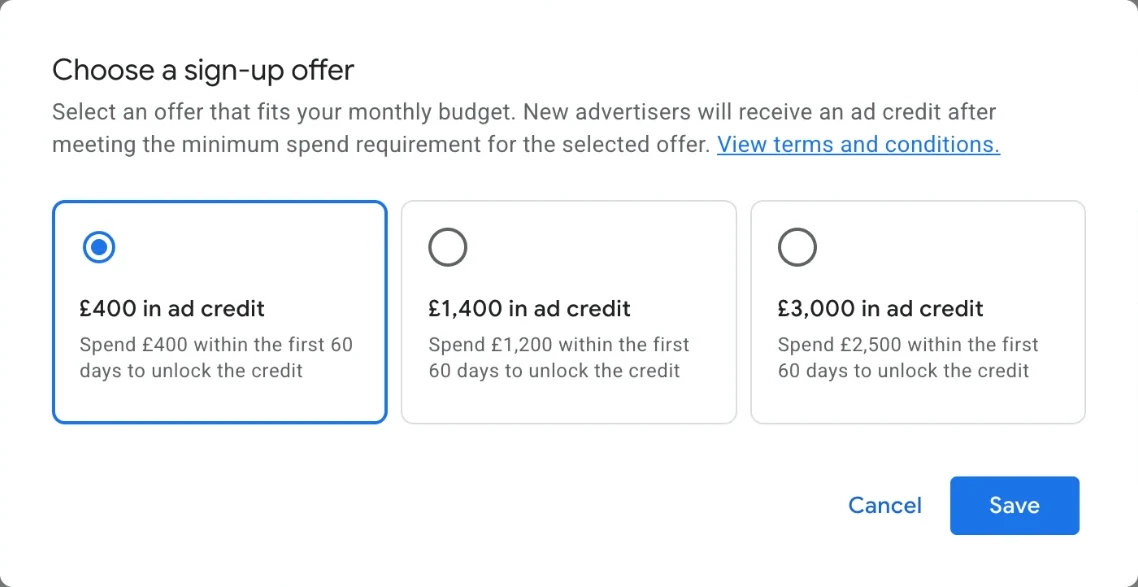
- New-advertiser credit. Google often offers new accounts ad credit for spending a set amount early on. When we opened an account in October 2026, the terms said the spend had to happen "within 60 days of billing setup", and the sign-up process asked for billing details before we could go any further. In practice, the clock starts when you open the account. Offers and terms change, so read the ones shown during sign-up, and if you want the credit, open the account only when your campaign is ready to run and your budget would reach the spend target.
Step 2: The campaign settings that matter
Networks: Google Search only
Google's page on the Search Network says "search partners are included by default", and it adds that to show ads only on Google Search, you should make sure only the Google Search Network box is ticked. When we built a draft Search campaign in October 2026, Google had gone further: both Google search partners network and Google Display Network were already ticked, each marked "(recommended)". The Display Network box says ads can appear "across Google (like YouTube) and the Internet when you have leftover Search budget", which means a campaign you set up for searches can also end up as banner and video ads on other websites. For a first campaign we'd untick both, so every pound goes on people searching Google itself. You can test search partners later, once you know what a normal week looks like.
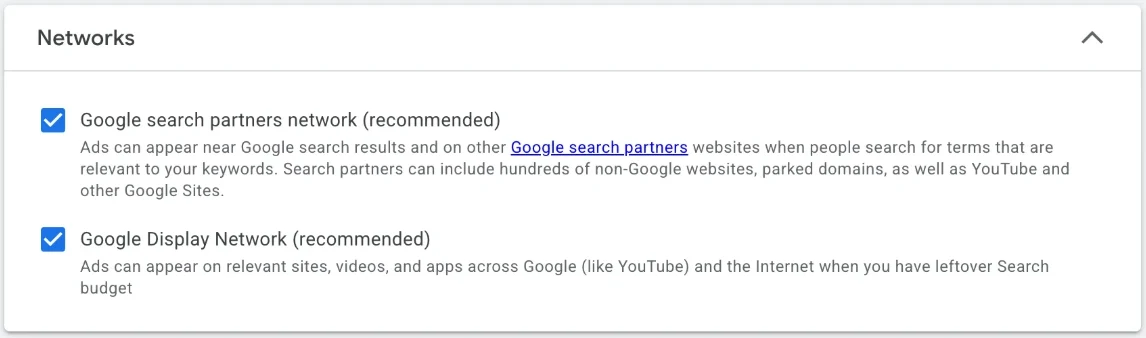
Google is changing how this setting works. Its page on channel prioritisation says that from 15 October 2026 the controls "will progressively become available", letting you set Google Search, search partners and the Display Network to high or low priority, and that "By default, all channels are set to high priority." If your account shows priorities instead of tick boxes, the aim is the same: keep your budget on Google Search to begin with.
Location: people who are actually in your area
This is the setting most worth changing. Google's location targeting page recommends "Presence or Interest" as best practice for Search, which can show your ad to people who have shown an interest in your area as well as those in it. But the same page says "Presence" makes sense when "Your business falls within a sensitive vertical with strict targeting limitations", or when you only want people who are actually there. A counselling practice fits both.
In our draft campaign, "Presence or interest" was already selected and marked "(recommended)", so this is a setting you have to change yourself.
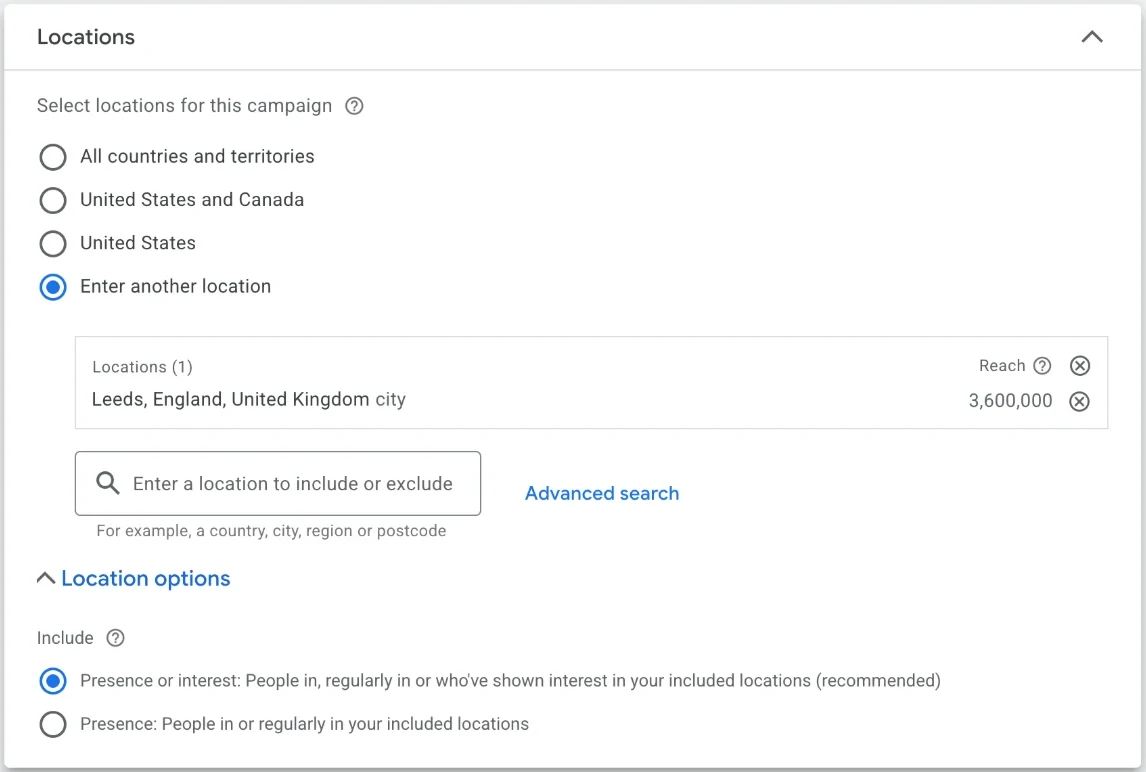
So under Locations, choose your area (a town, a postcode area, or a radius around your room) and, under location options, pick Presence: People in or regularly in your included locations. Make the area match how far your clients realistically travel. If you also work online across the UK, run that as a separate campaign targeting the whole country, so a budget meant for local, in-person clients isn't spent on searches from elsewhere.
Budget: a daily average, not a hard daily limit
Google's page on average daily budgets explains that you'll never pay more than "two times your average daily budget for most campaigns" on a single day, or "30.4 times your average daily budget" in a month. So £5 a day means some days Google might spend £10 and others nothing, but no more than about £152 in a calendar month. Pick a daily figure by deciding on your monthly ceiling and dividing it by 30.4.
Bidding: start simply
Google will offer several bid strategies. Most of them ("Conversions", "Conversion value") need a steady flow of tracked enquiries to work, which a new campaign for one therapist won't have. In our view, a sensible start is to bid for clicks with a maximum cost per click you're comfortable with, guided by the top-of-page bid ranges in Keyword Planner (our paid advertising guide shows a Leeds example). Revisit the strategy once you have a couple of months of enquiries to go on.
Ad schedule and languages
Google shows ads "All day" by default, according to its ad scheduling page. For most therapists that's fine: people often search in the evening, and your website and enquiry form work at any hour. A schedule is more useful if your ad includes a phone number you only answer at certain times. When you're on leave or your diary is full, pause the campaign rather than letting enquiries pile up.
Set Languages to English, plus any other language you offer sessions in.
Step 3: Ad groups and keywords
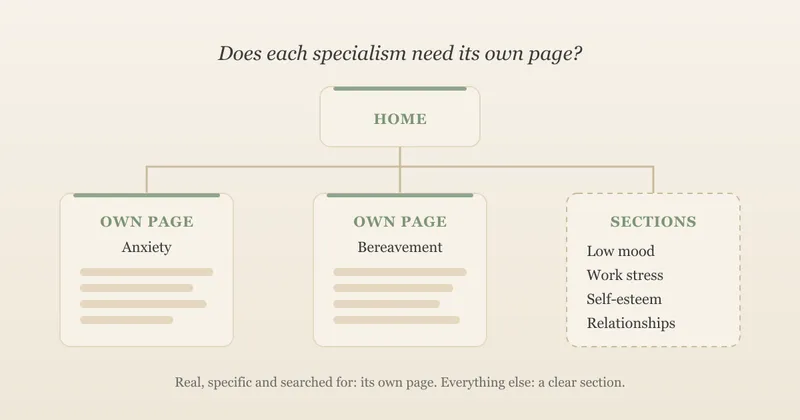
A campaign holds one or more ad groups, and each ad group pairs a set of keywords with the ads shown for them. The simplest useful structure for a therapist is one ad group per service that has its own page on your website, so each ad can land on the page that answers the search.
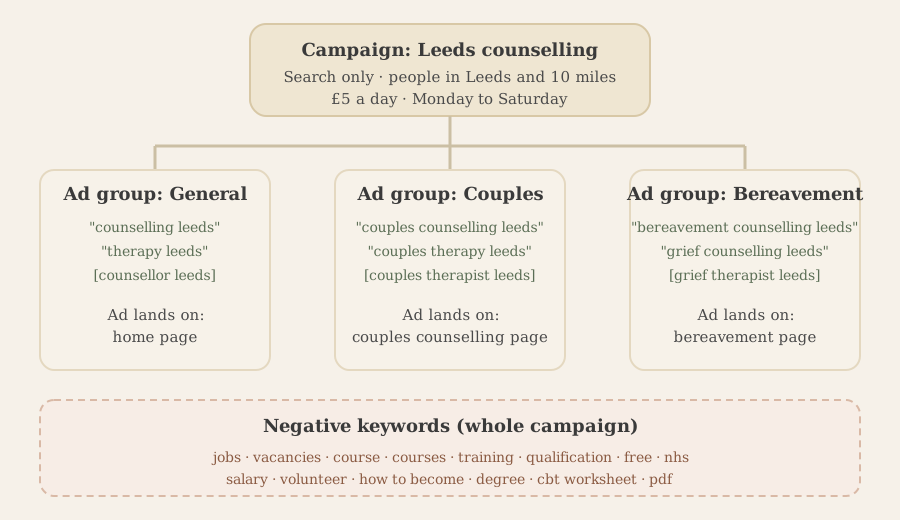
If you don't have a page for a service, either create one (our guide to therapist service pages explains when a specialism deserves its own page) or leave that service out of your ads. Sending a couples counselling search to a general home page wastes the click.
Match types: why broad match is a poor start
Every keyword has a match type that controls how loosely Google can interpret it. Google's keyword matching page describes three:
- Broad match (no symbol). Ads "may show on searches that are related to your keyword, which can include searches that don't contain the direct meaning of your keywords." Google says it's "the default match type that all your keywords are assigned".
- Phrase match ("in quotes"). Ads "may show on searches that include the meaning of your keyword."
- Exact match ([in brackets]). Ads "may show on searches that have the same meaning or same intent as the keyword", and it reaches the fewest searches.
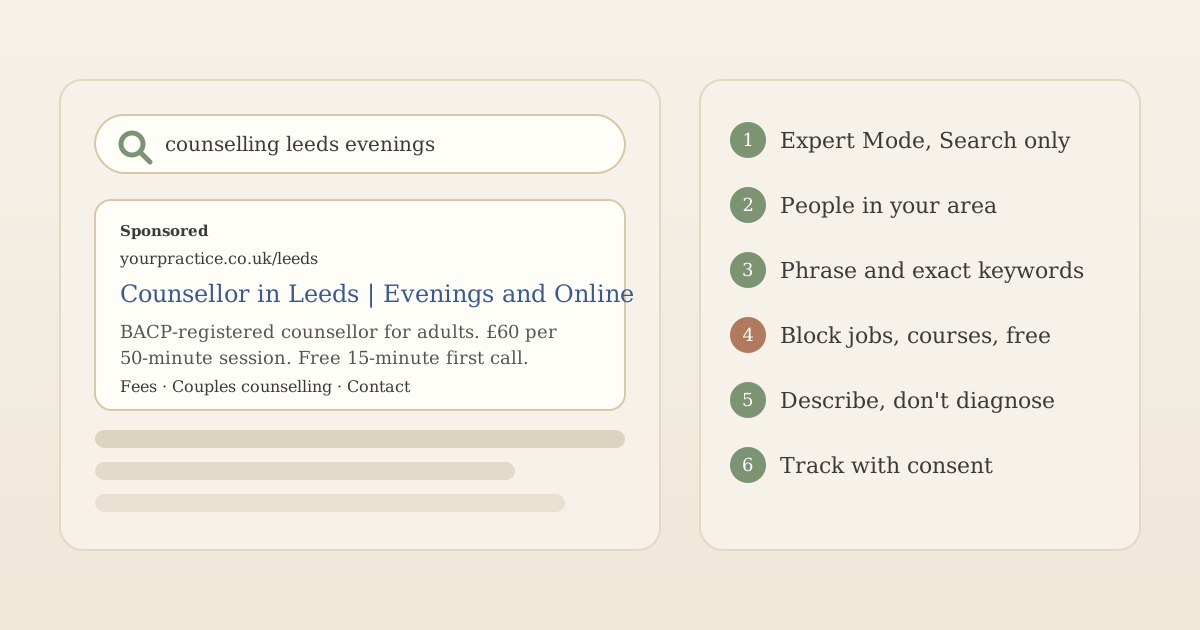
For a therapy practice, "related to your keyword" is exactly the problem. Searches related to "counselling Leeds" include counselling courses in Leeds, counselling jobs in Leeds and free counselling in Leeds, none of which are likely to become private clients. So we'd type keywords in quotes or brackets, as in the diagram above, and add broad match only later, if at all, once you can see what your phrase and exact keywords are doing.
AI Max: leave it off to start
Our draft campaign also had a step called AI Max. Google's AI Max page describes it as an optional set of automated features for Search campaigns, in three parts:
- Search term matching extends your keywords using broad match and "keywordless" matching, where Google decides which searches suit your ads. That brings back the problem above: searches for courses, jobs and free services.
- Text customisation uses generative AI to write ad text from your existing ads and your website. You're still responsible for every claim in an ad, so you'd need to check that nothing it writes promises outcomes or implies something about the reader.
- Final URL expansion lets Google send people to whichever page of your site it thinks fits best, rather than the page you chose, so a couples counselling search could land on a blog post.
Google also says these features work best with bidding that aims for conversions, which a new campaign for one therapist won't have enough of. For a first campaign we'd leave AI Max off, and only consider it once you have a few months of enquiries and a clear view of which searches bring clients.
Choosing the words
Use the words clients search with, not the ones on your certificate. "Therapy" and "therapist" are often searched more than "counselling" and "counsellor", and the balance varies by area, so check your own town in Keyword Planner rather than guessing. A short list of 5 to 15 keywords per ad group is plenty. Add the condition or issue only where you've got a page for it and it's within your competence: "bereavement counselling Leeds" is a service description, but bidding on every concern listed on your directory profile isn't.
Step 4: Negative keywords from day one
Negative keywords stop your ad showing for searches you don't want. For therapists, a starter list does more to protect a small budget than any other setting. Add these at campaign level before the campaign goes live, then extend the list every week (Step 7).
| Reason to block | Starter negatives (broad match) |
|---|---|
| Training and careers | course, courses, training, qualification, qualifications, diploma, degree, how to become, level 3, level 4 |
| Jobs | job, jobs, vacancy, vacancies, salary, volunteer, volunteering, placement |
| Free and NHS services | free, nhs, charity, helpline |
| Information, not help | pdf, worksheet, worksheets, definition, what is, essay |
| Things you don't offer | your judgement: for example child, children, couples or online, if you don't offer them |
Two details from Google's negative keywords page matter here. First, "Negative keywords don't match to close variants", so you need both "course" and "courses", "job" and "jobs", and any synonyms. Second, misspellings and capitals are handled for you, so you don't need "cource".
Use judgement on the borderline ones. "Free" blocks people looking for free counselling, which is usually right, but if your ad mentions a free introductory call, someone searching "free consultation counsellor Leeds" might be a good client. "NHS" blocks people looking for NHS Talking Therapies, some of whom are on a long waiting list and might consider private sessions. There's no universal answer; watch the search terms report and adjust.
Step 5: Write the ad, then add assets
Google search ads are now responsive search ads: you write several headlines and descriptions and Google combines them. Google's responsive search ads page says you can provide "up to 15 headlines and 4 descriptions", with headlines up to 30 characters and descriptions up to 90. You need at least three headlines and two descriptions.
Aim for about eight to ten headlines that each make sense on their own, because any two or three may appear together. For the invented Leeds counsellor's general ad group:
| Headlines (30 characters max) | Descriptions (90 characters max) |
|---|---|
| Counsellor in Leeds | BACP-registered counsellor for adults, in person in Leeds and online across the UK. |
| Counselling in Leeds | £60 per 50-minute session. Book a free 15-minute call to see if we're a good fit. |
| Evening Sessions Available | Weekday evening appointments. I reply to enquiries within one working day. |
| Online or In-Person Sessions | |
| £60 per 50-Minute Session | |
| Free 15-Minute First Call | |
| BACP-Registered Counsellor | |
| Reply Within One Working Day |
Every line describes the service, not the reader. The same advertising rules apply here as on your website: no claims of outcomes you can't prove, and no client testimonials if you're a UKCP member. Our paid advertising guide explains both, and our guide to therapist website copy has more before-and-after examples. We'd also avoid headlines that assume the reader's state ("Feeling Anxious?"). Meta rejects that style of ad outright, and on Google it still reads as telling a stranger something about themselves they didn't ask to be told.
Google lets you pin a headline to a fixed position, but its page says "pinning isn't recommended for most advertisers". Only pin something that genuinely has to appear in every version of the ad.
Assets: free extra space
Assets (once called extensions) add extra lines to your ad at no extra cost per click. Three are worth adding:
- Sitelinks: extra links to specific pages, such as Fees, Couples counselling and Contact. Google's sitelinks page says you need at least two, and the link text is limited to 25 characters.
- Callouts: short, unlinked phrases such as "Evening appointments" or "Step-free access". Google's callouts page allows up to 10, at 25 characters each.
- Call assets: your phone number, tappable on mobile. If you turn on call reporting, Google's call assets page says it uses "Google forwarding numbers" so it can count calls as conversions. That means calls pass through Google first, so name Google Ads in your privacy notice if you use it, and only add a phone number you can actually answer or return promptly.
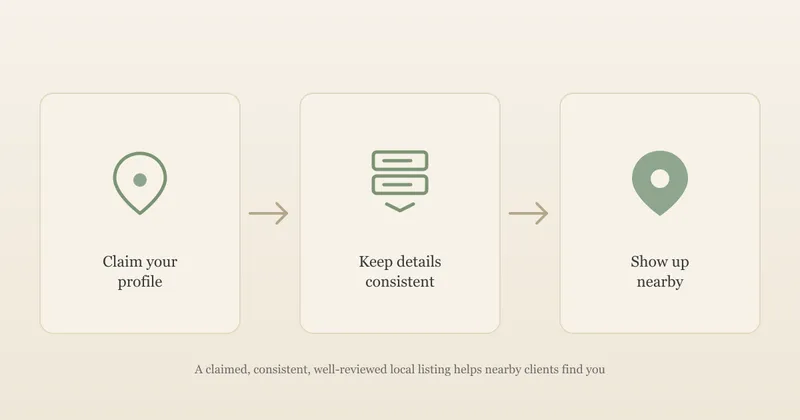
If you see clients in person and have a Google Business Profile, linking it adds a location asset with your address, which lets your ad show on Google Maps.
Step 6: Track enquiries without tracking clients
To know whether ads bring enquiries, Google needs to know when someone who clicked an ad then contacted you. That's a conversion, and the usual way to record it is a small Google tag on your website. For a therapy practice, three rules keep this safe.
Count the enquiry, not the person. Fire the conversion tag on a plain thank-you page that loads after someone sends your enquiry form, with nothing about their reason for contacting you in the page address or the conversion name. "Enquiry sent" is enough. The ad platform doesn't need to know what the enquiry was about, and shouldn't.
Don't turn on enhanced conversions. Google will often suggest enhanced conversions, which send hashed details such as the visitor's email address to Google to improve measurement. Google's own customer data policies say "Conversions related to sensitive categories can't be used for measurement in enhanced conversions", and list health or medical information, including purchases of medical services, as a sensitive category. For a therapist, leave it off.
Load the tag only after consent. UK rules on cookies and similar technologies mean advertising tags, including those that measure ad performance, need the visitor's consent before they run. Google's consent mode lets its tags respect the visitor's choice; in its "basic" form, "you prevent Google tags from loading until a user interacts with a consent banner". Our GDPR checklist for therapist websites covers the cookie banner and privacy notice, and the paid advertising guide sets out what the ICO says about advertising tags.
Consent means Google won't see every enquiry: people who decline cookies won't be counted. That's fine. Keep your own tally by asking each new client how they found you, and compare it with what Google reports.
Step 7: The first eight weeks
A new campaign needs a little attention each week, mostly to find and block wasted searches. Fifteen to thirty minutes is usually enough.
Every week:
- Read the search terms report. Google's search terms report page describes it as the list of searches "that resulted in your ad being shown". It's the most useful screen in the account. Add anything irrelevant as a negative keyword, and add any good search you didn't think of as a new phrase or exact keyword. Don't expect to see every search: Google says some with little activity "are omitted from the search terms report" for privacy reasons.
- Check the money. Spend so far this month, cost per click, and any enquiries.
- Check your inbox. Did enquiries arrive that Google didn't record, or vice versa?
Once, early on: check whether auto-apply recommendations are switched on. Google's auto-apply page says that when they're on, "the recommendations will apply regularly". Google says they won't increase your budget, but they do change your campaign without you reviewing each change first, so we'd turn them off and review recommendations by hand.
At about eight to twelve weeks: judge the campaign on new clients, not clicks. Our paid advertising guide has a worked example of turning budget, clicks and enquiries into a cost per new client. If the numbers don't work, the usual culprit is the landing page (no fees, no clear next step, slow on a phone) or the searches (still too broad), not the bid.
Common mistakes we'd avoid
- Sending every ad to the home page. A couples counselling search should land on a couples counselling page.
- Hiding fees. People who can't afford you will click, read and leave at your expense. Our guide to pricing a private practice covers setting and showing them.
- Leaving the location on "Presence or interest", and paying for clicks from people who only searched for your town.
- Bidding on broad match keywords from day one with no negative keywords.
- Adding tracking before the cookie banner works.
- Judging it after two weeks. One or two enquiries either way tells you very little.
Frequently asked questions
How much should a therapist spend on Google Ads?
Start with a budget you'd be comfortable losing while you learn, for example £5 a day. Google treats that as an average: it can spend up to twice it on a busy day, but won't charge more than 30.4 times the daily amount in a month, so £5 a day means at most about £152 a month. Give it two to three months before judging, because a single month brings too few enquiries to tell.
Should therapists use broad match keywords?
Not to begin with, in our view. Broad match is Google's default and can show your ad for searches related to your keyword that don't share its meaning, which for therapy often means training courses, jobs and free services. Phrase and exact match keep a small budget on the searches you chose. Once you have a few months of data you can test broad match with care.
Can I use enhanced conversions or remarketing as a therapist?
No. Google's customer data policies say conversions related to sensitive categories, which include health or medical information, can't be used for measurement in enhanced conversions. Its personalised advertising policy also names mental health counselling as a sensitive category, which rules out remarketing, Customer Match and lookalike audiences. A plain conversion tag on a thank-you page, loaded only after consent, is enough.
Should I pay someone to run my Google Ads?
For one small search campaign, you can usually manage it yourself in an hour or so a week once it's set up. If you do hire help, ask for access to your own account (not one the agency owns), a monthly search terms review, and a written list of negative keywords, and check they know Google's health advertising limits and the UK cookie consent rules.
Give your Google Ads a page worth landing on
Search ads only work if the page they land on answers 'can you help, what does it cost and how do I get in touch?' on a phone. UpTopWeb builds therapist websites with a page for each service, clear fees and a consent-ready cookie banner, with no upfront cost. If you'd rather not run ads yourself, we can set up and manage a Google search campaign for you as a paid add-on.
Further reading
Related articles
Marketing18 minute read
Paid Advertising for Therapists: Google, Meta and What's Worth It (UK)
SEO11 minute read
Local SEO for Therapists: A Practical Checklist
Therapist websites16 minute read
Therapist Service Pages: Does Each Specialism Need Its Own Page?