Social media
Facebook for Therapists: Groups, Pages and Messenger
A UK guide to Facebook for counsellors: peer groups, replying to local recommendation posts, setting up a Page, and keeping Messenger enquiries safe.
On this page8 sections
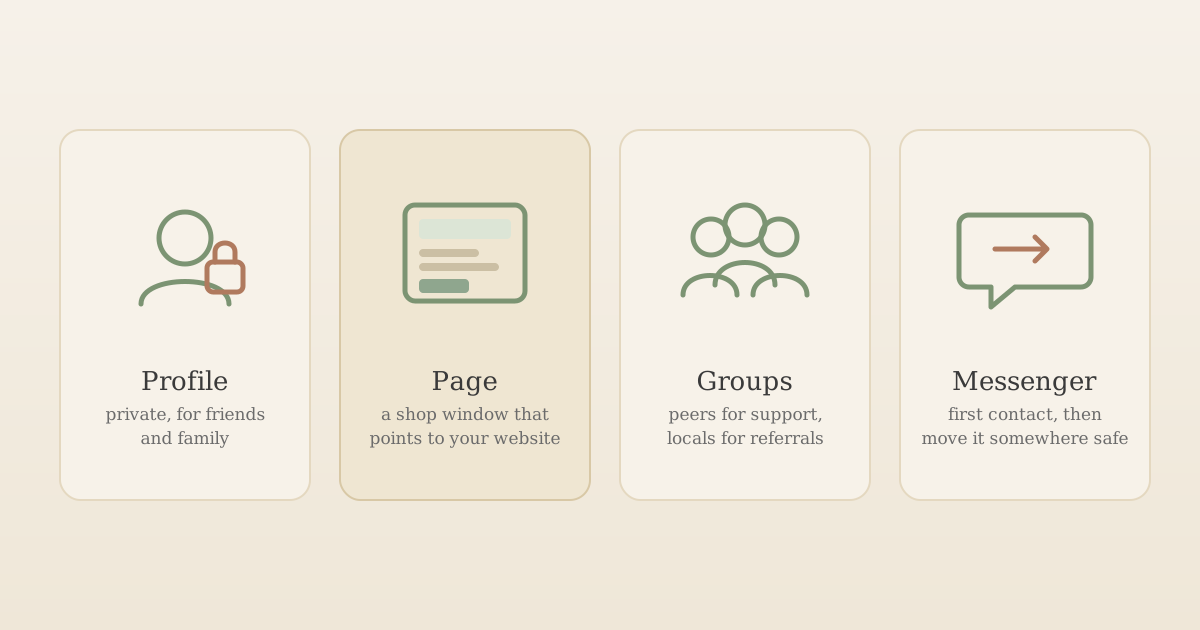
Facebook for therapists isn't one thing. It's four: your personal profile, a business Page, groups (some full of therapists, some full of your neighbours), and Messenger. Each does a different job, carries a different risk, and needs its own few decisions. Most of the trouble therapists run into on Facebook comes from treating them as one, for example a personal profile that slowly becomes the practice's shop window, or a peer group used as an advertising board.
This guide is for UK counsellors and psychotherapists in private practice who use Facebook already or are wondering whether it's worth it. It covers what each part of Facebook is good for, peer groups, how to reply when someone in a local group asks for a counsellor recommendation (with a worked example), setting up a Page, and handling Messenger enquiries. For the wider question of whether to be on social media at all, start with our guide to social media boundaries and ethics for therapists.
Important: This is a practical overview, not legal, professional or regulatory advice. Advertising and conduct rules vary by professional body and change over time, and Facebook's features and settings change often. Check your own body's current guidance and Facebook's help centre before relying on any of this. Facebook details were checked on 19 October 2026.
Facebook for therapists: four parts, four jobs
Facebook is strongest with older adults: in UKOM's audience data (August 2023 base), it had the highest daily reach of any platform among over-55s, at 62%. For a practice that works with adults in midlife and later life, parents or carers, that matters. But reach only helps if each part of Facebook is doing the right job.
| Part of Facebook | What it's good for | Main risk | The one decision to make |
|---|---|---|---|
| Personal profile | Friends and family | Clients finding your private life, or friend requests from clients | Lock it down, and decide your answer to client friend requests before one arrives |
| Business Page | A public, practice-only presence people can check, follow and message | Reviews from clients, and messages that turn into therapy | Whether to allow Recommendations, and what your automatic reply says |
| Peer groups (therapists only) | Support, practice questions, room and supervisor tips, passing on clients when you're full | Over-sharing case material in a space that feels private but isn't | What you will and won't describe about clients |
| Local community groups | Being visible when someone asks "can anyone recommend a counsellor?" | Advertising where it isn't welcome, or discussing someone's situation in public | How you reply, and when you don't |
| Messenger | A first point of contact | It isn't end-to-end encrypted for Pages, and it's tempting to start helping in the chat | Moving enquiries somewhere you control |
The rest of this guide takes them one at a time.
Your personal profile: keep it personal
Facebook offers two ways to be "professional" on the platform. You can create a separate Page, or you can switch your personal profile into professional mode. Meta's own comparison of Pages and professional mode sets out the difference: a profile in professional mode keeps your friends as well as followers and uses the same feed as your personal profile, while a Page has followers only and a separate feed.
For a therapist, that difference is the whole point. Professional mode puts your practice and your private life in one place, which is exactly what BACP's guidance on the use of social media advises against when it suggests keeping "your professional and personal life as separate as possible". A Page keeps them apart, and it's also the only one of the two that works with Meta Business Suite, which you'll need for automatic message replies (more on that below).
So for most therapists, the set-up is:
- Personal profile: private, for friends and family. Check your privacy settings now and then, since BACP's guidance notes that platform updates can reset them, and look at your profile as a prospective client would.
- A separate Page for the practice, if you want a Facebook presence at all.
- A position on client friend requests, written into your contract or social media policy. BACP suggests discussing social media when contracting so expectations are clear from the start. Our social media guide has a short policy you can adapt.
Peer groups: support, not a marketing channel
Private Facebook groups for counsellors and psychotherapists are one of the most useful parts of the platform for a solo practitioner. There are groups for regions, modalities, specialisms, trainees and people in private practice, and they're good for:
- Practice questions that don't need supervision: software, rooms, invoicing, insurance renewals.
- Finding people: a supervisor, a room to rent, a colleague who works with an age group or issue you don't.
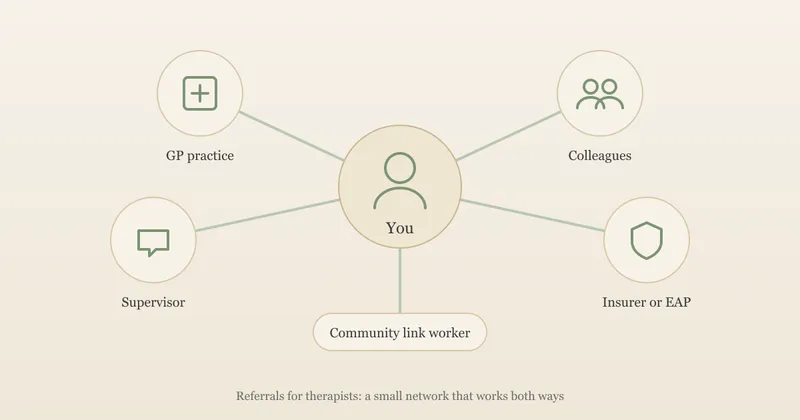
- Passing on clients when you're full. A short "I'm full until spring, can anyone in Bristol take an adult with work-related stress, evenings, online?" is a common and useful post. Our guide to referrals for therapists covers how to build that two-way network properly.
- Company. Private practice can be isolating, and a good group helps.
Search Facebook for your area or specialism plus "counsellors" or "therapists", ask your training cohort and supervisor which groups they use, or start with one of the established UK groups below. Before you join, check who runs it, whether members are vetted, and what the rules say about discussing clients. Many of the biggest groups are US-based, where licensing, insurance and ethics rules differ from the UK, so weigh advice from those accordingly.
Two lines are worth holding. First, BACP's guidance is explicit that "social networking sites, even closed groups, are public". Screenshots travel, and members change. If you ask for peer input on a situation, keep it as anonymised as you would in supervision, and leave out details that could combine to identify someone. Second, a peer group isn't somewhere to market to clients. Promoting a course or a new service to colleagues is one thing if the group's rules allow it; treating a group of therapists as a source of clients isn't, and it's usually obvious to everyone when it happens.
Three established UK groups to start with
These three are long-running, UK-focused and active. The figures come from each group's About page on 19 October 2026 and will have changed since. UpTopWeb has no connection with any of them. The private groups' links open a request-to-join page if you're not a member.
| Group | Who it's for | Type | Size and activity (19 Oct 2026) |
|---|---|---|---|
| Counselling Tutor | Counselling students and qualified practitioners sharing ideas, free resources and discussion | Private | About 60,000 members, roughly 480 posts a month, running for 10 years |
| Counselling Private Practice | Qualified or trainee counsellors and psychotherapists who are in, or thinking of starting, private practice | Private | About 23,000 members, roughly 135 posts a month, running for 12 years |
| Counsellors and Therapists in Northwest England | Counsellors, counselling organisations and students in the North West, for networking, sharing resources and low-cost CPD | Public | About 17,000 members, roughly 780 posts a month, running for 15 years |
Two things to notice. Counselling Private Practice is the closest fit for the business side of running a practice, and the busiest of the three is the regional one, despite being the smallest, which is a good argument for looking for a group in your own area too. The Northwest group is also public, so anyone, including clients, can read what's posted there.
Local groups: when someone asks for a counsellor
Local Facebook groups (a town or village group, a parents' group, a community noticeboard) are where many people ask for recommendations, including for counsellors. Some of these requests are posted anonymously, which many groups allow. This is the part of Facebook most likely to bring you a client, and the part most likely to go wrong in public.
Before you reply
- Read the group's rules. Many ban business promotion outright, or keep it to a weekly thread. Breaking the rules gets your comment removed and doesn't make a good first impression.
- Remember who else is reading. Your reply is advertising, so the same rules apply as on your website: no claims you can't back up, no promised outcomes, and no testimonials if you're a UKCP member. Our guide to therapist website copy covers that line in detail.
- Remember whose story it is. Someone posting about their partner, parent or teenager is sharing a third person's situation. Don't add to it, ask about it, or speculate about it in the comments.
A worked example
Here's an invented post of the kind that appears in local groups, with two replies.
Post: Can anyone recommend a counsellor in Harrogate for my 15-year-old? She's been really anxious since starting Year 11 and won't talk to us about it. We've been told the wait is long. Thanks x
Reply A: Hi! I specialise in teen anxiety and my clients see amazing results, usually within six sessions. I have spaces this week, message me and tell me a bit more about what's going on with her!
Reply B: Hi, I'm a counsellor in Harrogate and I work with young people aged 13 to 18, in person and online. There's information about how I work with young people and parents, my fees and how to get in touch on my website: [link]. Her school may also be able to tell you about free support nearby. I hope you find the right person.
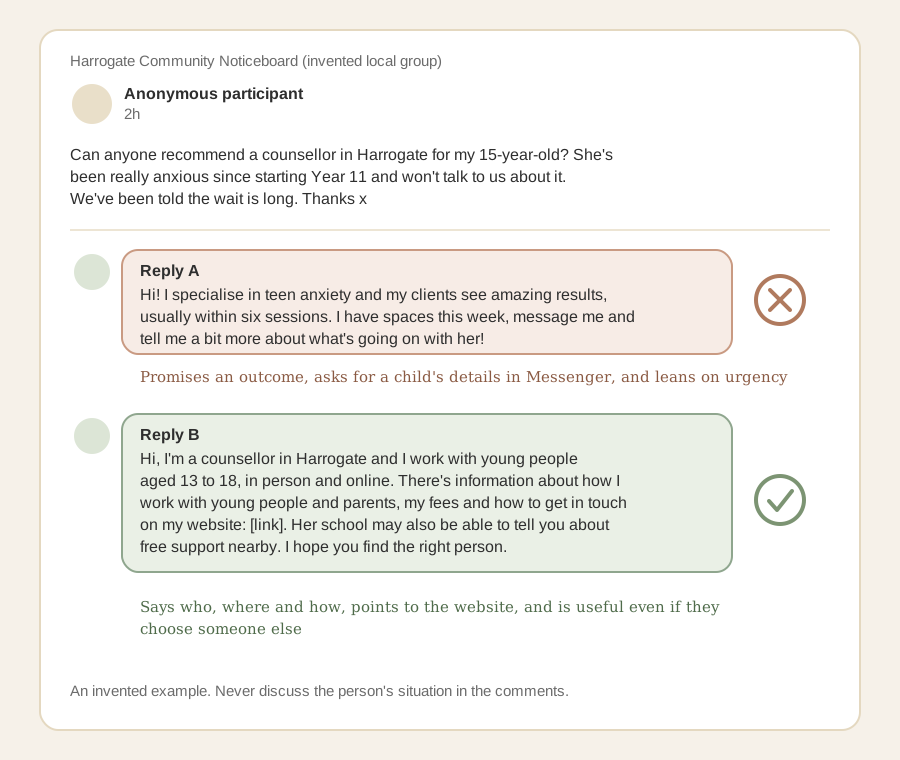
Reply A makes an outcome promise ("amazing results, usually within six sessions") that the ASA's guidance on mental health treatment claims makes clear needs robust evidence, invites the parent to share their daughter's details in Messenger, and leads with urgency. Reply B says who you are, who you work with and where, sends the parent somewhere that answers the next questions (fees, how you work with young people and their parents, how to get in touch), and is still helpful even if they don't choose you.
A few more situations
- Someone tags you in a recommendation thread. That's a referral, and a short Reply B-style comment is fine. If the person who tagged you is a client or former client, don't thank them for "recommending" you in public, since that confirms they've seen you.
- A client comments on your reply. Don't acknowledge that you know them. A neutral like, or nothing, is safest.
- The post describes someone at risk. Point to urgent support (in England, NHS 111 and the mental health option, Samaritans on 116 123, or 999 in an emergency) rather than offering your services.
- Ten counsellors have already replied. Adding an eleventh comment rarely helps. A good website and directory profile will be found by the people who search afterwards.
Your Facebook Page: a shop window that points to your website
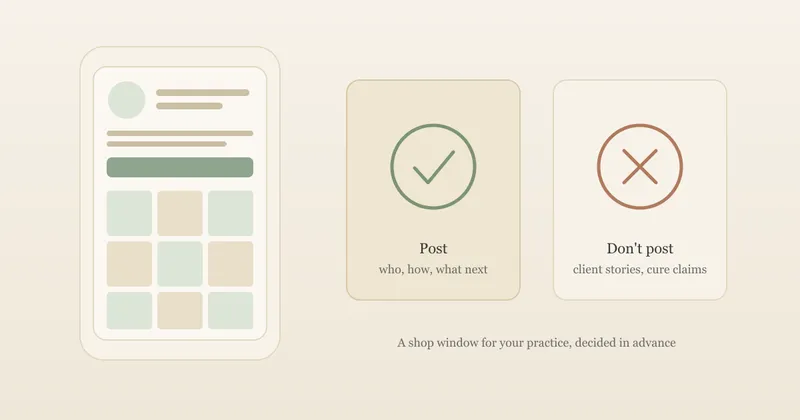
A Page is a public, practice-only place on Facebook that people can find, follow and message. For most therapists it does the same job as an Instagram profile: reassurance that you're real, recognition over time, and a route to your website. The post ideas and caption rewrites in our guide to Instagram for therapists work just as well on a Page, as do the same rules on what not to post.
A few settings are specific to Facebook and worth checking when you set the Page up.
Recommendations and reviews
Facebook Pages can show Recommendations, its name for reviews. Facebook's help centre explains that turning Recommendations on lets anyone logged in to Facebook publish a Recommendation on your Page and see your Page's rating. Turning them off removes the rating and reviews from your Page. If your Page had reviews in the past, Facebook says Recommendations were turned on automatically.
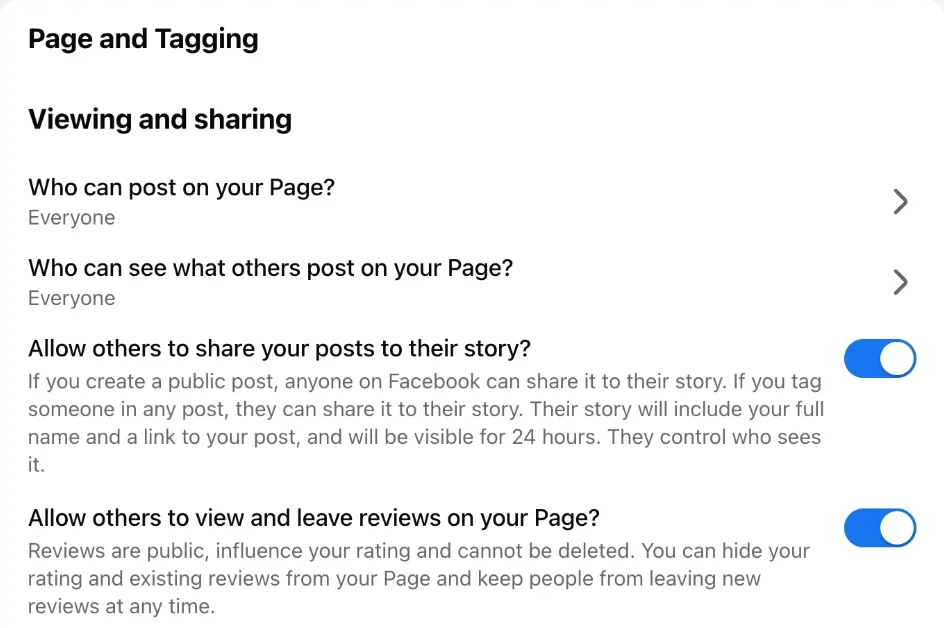
For a therapist, the issue is less about bad reviews than good ones. A client who leaves a warm Recommendation has told everyone who visits your Page that they see you, and if you reply, you've confirmed it. UKCP members also can't use client testimonials in any advertising. For those reasons, many therapists switch Recommendations off. You'll find the switch under your Page's Settings and privacy, then Settings, then Page and tagging, labelled "Allow others to view and leave reviews on your Page?". Facebook's own description under that switch is blunt: reviews "are public, influence your rating and cannot be deleted". You can't remove a single review; the switch hides the rating and all existing reviews and stops new ones.
If you'd rather leave them on, decide in advance how you'll respond, and never confirm in a reply that someone is or was a client. Our guide to testimonials for therapists covers the BACP, UKCP and ASA rules on using reviews in your marketing, and our local SEO checklist covers Google reviews, which work differently.
The basics
- Name and category. Use your practice name, or your name and what you do, for example "Sam Taylor Counselling".
- Details. Add your website first, then the contact details you're happy to be public. Leave out a home address you don't publish elsewhere.
- Who can post on your Page. In the same Page and Tagging settings, check who can post on your Page and who can see those posts. Both were set to Everyone on ours, which means a visitor could publish something personal on your Page for anyone to read.
- A short intro line answering who you work with, how and where, ending with "more on my website".
- A pinned post with your fees, availability and how to get in touch, kept up to date.
Messenger: move enquiries somewhere you control
A Page comes with Messenger, and people will use it. That's fine as a first point of contact, but it isn't a good place for anything more.
The main reason is privacy. Meta's Messenger help centre on end-to-end encryption says Meta is moving personal messages to end-to-end encryption by default, but that some products don't currently support it, "such as chats with businesses or accounts using business messaging tools". In other words, messages to your practice Page aren't covered. Someone describing their mental health in a first message is sharing what UK GDPR treats as special category data, and Messenger doesn't come with the privacy notice your website's contact form should have.
So the aim is to be warm and quick, then move the conversation on.
Set up an automatic reply
Meta Business Suite, which works with Pages, offers automated responses including an auto-reply (sent the first time someone messages you; some of Meta's help pages call it an instant reply) and an away message (sent when you're not available). You'll find them in Meta Business Suite under Inbox, then Automations, and the same auto-reply can cover Instagram messages too. An auto-reply means everyone gets the same safe, consistent first message, even when you're with clients. For example:
Thank you for getting in touch. I don't offer support through Facebook messages, and please don't share personal details here. You can contact me through the enquiry form on my website, [link], or by email at [your address], and I'll reply within two working days. If you need urgent support, in England you can call NHS 111 and choose the mental health option, call Samaritans on 116 123, or call 999 in an emergency.
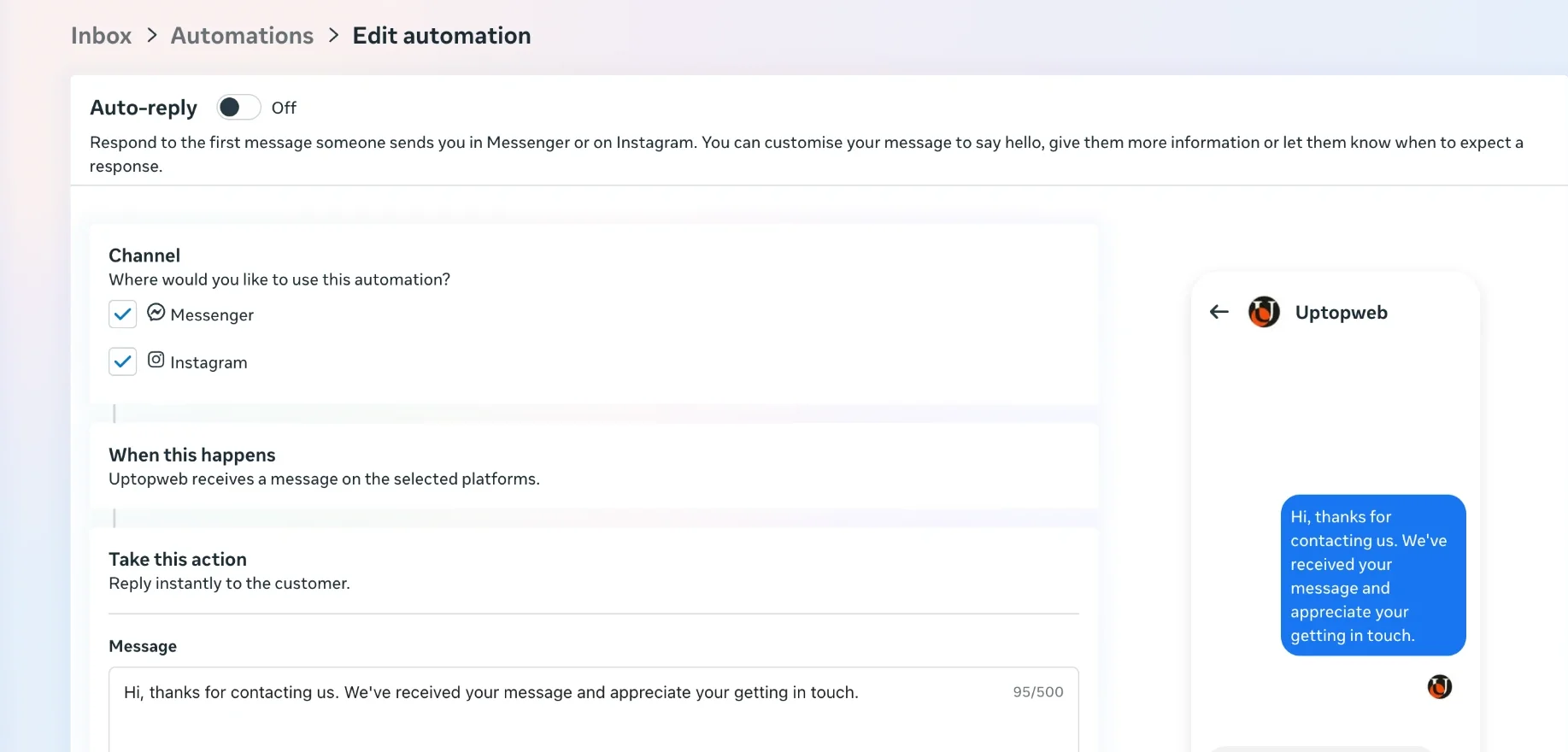
The urgent support wording follows the NHS page on where to get urgent help for mental health. If you practise in Scotland, Wales or Northern Ireland, use the local equivalents. Meta also offers AI tools that can reply to messages for a business; think carefully before letting software respond to someone who may be describing distress.
Keep the rest of the conversation off Facebook
- Don't assess or advise in Messenger, even briefly. Reply with practical information only and point to your enquiry route.
- Don't let it become a session channel with existing clients. Agree how clients contact you between sessions when you contract, and stick to it.
- Tidy up. Once an enquiry has moved to email or your form, there's no need to keep the Messenger thread. Your GDPR checklist for therapist websites covers what your contact form and privacy notice need instead.
How much time Facebook deserves
Facebook can be a light touch. A realistic routine for a solo practice is to set up the Page and its automatic reply once, check your peer groups when you have a question or want to give back, keep an eye on one or two local groups for recommendation requests, and post on your Page when you have something genuinely useful to say. If you also use Instagram, Meta lets you share posts to both, which saves writing everything twice.
What Facebook shouldn't become is a substitute for a website. Every route through it, a group reply, a Page visit or a Messenger chat, ends with someone wanting to know what you charge, how you work and how to get in touch. That's your website's job. Our guide to how to market yourself as a therapist compares Facebook with the other channels open to a UK therapist, and which to start with for your situation.
Frequently asked questions
Should a therapist use a Facebook Page or their personal profile?
A separate Page is usually the better choice. Facebook's professional mode turns your personal profile public-facing, but you keep your friends and the same feed, so your private life and your practice sit side by side. A Page is separate from your personal profile, has followers rather than friends, and is the only one of the two that works with Meta Business Suite for things like automatic replies.
Can I promote my counselling practice in local Facebook groups?
Often, within limits. Check each group's rules first, since many ban promotion or keep it to a weekly thread. Replying to someone who asks for a counsellor recommendation is reasonable if you keep it short and factual, point to your website, and don't ask about their situation in public. Your professional body's advertising rules and the ASA's rules apply to these replies just as they do to your website.
Are Facebook messages to my therapy Page private?
Not end-to-end encrypted. Meta's Messenger help centre says that chats with businesses, or accounts using business messaging tools, don't currently support end-to-end encryption. Treat Page messages as a first-contact channel only: reply with a short message that moves the conversation to your website's enquiry form or email, and don't ask people to describe their situation in Messenger.
Should I turn off reviews on my therapy Facebook Page?
Many therapists do. When Recommendations are on, anyone logged in to Facebook can publish one on your Page, and a client who leaves one has publicly said they see you. You can't stop that happening once the setting is on, and replying confirms it. Facebook lets you turn Recommendations off in your Page's settings, which removes the rating and reviews from the Page.
Give your Facebook replies somewhere good to point
A group comment or a Page visit only goes so far. Your website answers what comes next: how you work, what it costs and how to get in touch, with an enquiry form you control. UpTopWeb designs and builds it for you, with no upfront cost.
Further reading
Related articles
Social media13 minute read
Should Therapists Use Social Media? Boundaries and Ethics
Social media15 minute read
Instagram for Therapists: What to Post (and What Not To)
Marketing15 minute read
Referrals for Therapists: How to Build a Network That Sends You Clients (UK)